| Template Hosting |
 |
ePriority can host email content which can be referenced and used in batches. The templates hosted are revision controlled with metadata. Supported template interactions, such as creating new templates and updating existing templates, are accessible via a web service or through the ePriority website. Template maintainence including updates, testing, and releasing to production is the responsibility of the client.
Metadata
Metadata is information about the template itself. Some metadata is system-generated and cannot be changed by the user.
Name
The name is used to uniquely identify a template within a client account. There can be only one template with any given name in any account, but the same name can be used in different accounts. In conjunction with the version number, the name uniquely identifies a template to be used in an email batch.
The template name may be up to 35 characters in length, may only be composed of letters (upper and lower case), numbers and underscores. It must also start with either a letter or a digit and cannot contain any spaces.
Description
A description for the template used for display purposes only. The description has a maximum length of 254 characters and is a required field.
Content-type
The content-type, or mime type, of the template. EPriority supports text/plain and text/html.
Content byte count
The size of a template in bytes. The size may vary in templates containing personalization tags.
Syntax
Specific syntax for various substitute fields, tracking features, and control regions (if and foreach) are described in Feature Tags.
Revision Control
Template Status
Templates have one of three statuses - draft, production, or history. A draft template is the currently updateable, 'in development' template. Production templates have been tested and released to production status by you. By default, batches referencing a template name with no version information use the production template. If no production template exists for a template name, the batch will fail. Historical templates are past production templates that are no longer in use. Like drafts, they can be referenced in test batches via the template name and version number.
Version
All revisions of a template have to be saved for an accurate history. Each version is available for viewing and/or copying. This number is assigned by the system and is important or meaningful when you need to identify a particular revision of a template to include in a batch. Batch construction defaults to the current production version if no version information is provided. Conversely, only the current draft version is editable and must be released to production to serve as a default. Versions start at 1 and increment as more versions are added.
Comment
A comment is used to explain changes for the current template update. Used for display purposes only. Comments have a maximum length of 254 characters.
Creator
The user that created the template.
Creation Date
The "Creation Date" date is the date the template was created.
Last Edited By
The user that last updated the template.
Last Edit Date
The "Last Edited" date shows the last time that a template was updated.
Released By
The user that released a template for production use. Thorough testing of templates prior to production release is the responsibility of the releasor. Templates cannot be 'unreleased'.
Release Date
The "Release Date" date shows when the template was released for production use.
Deleted By
The user that marked a template for deletion. Templates deleted in this manner are obscured from view and no longer available for use in batches. User deleted batches can be revived by contacting ePriority support.
Deletion Date
The "Deletion Date" date shows when the template was marked for deletion.
Template Accessibility
Web Service
Templates can be created, updated, previewed, released, and deleted via a web service.
EPriority Interface
Users can interact with templates via the epriority website.
Browse available templates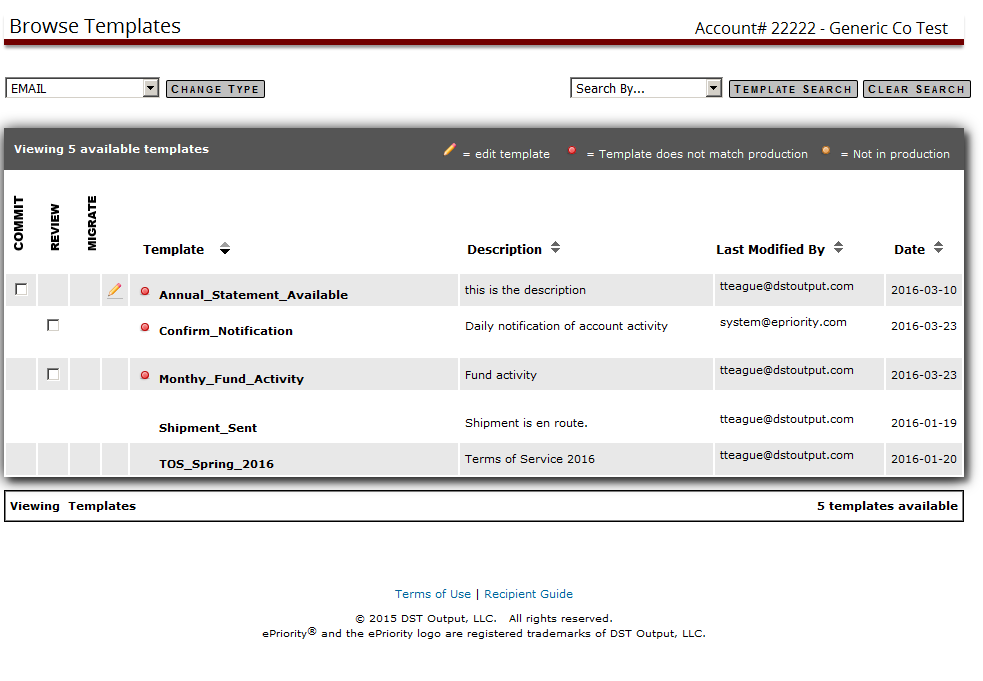
|
Preview templates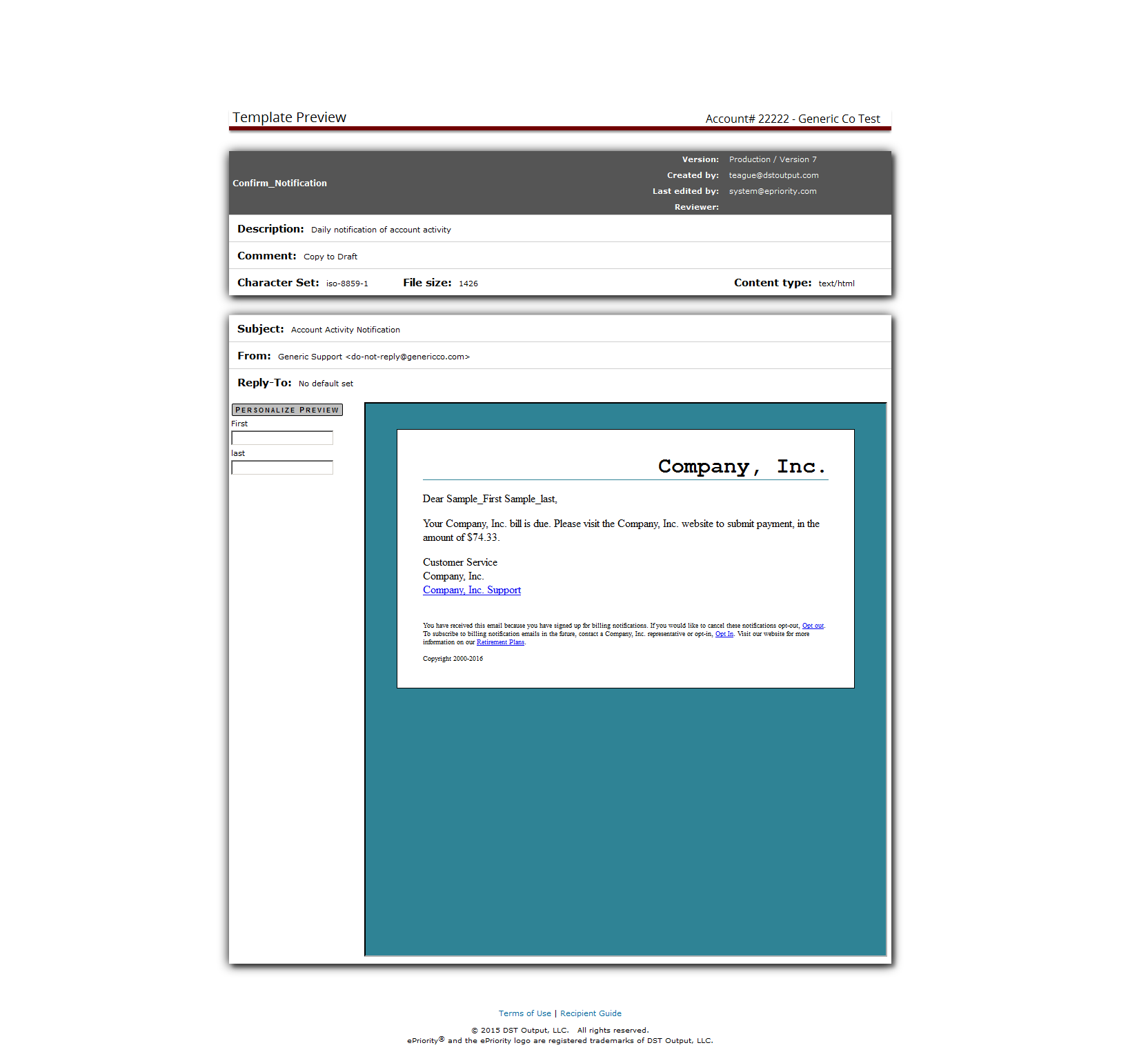
|
Edit existing templates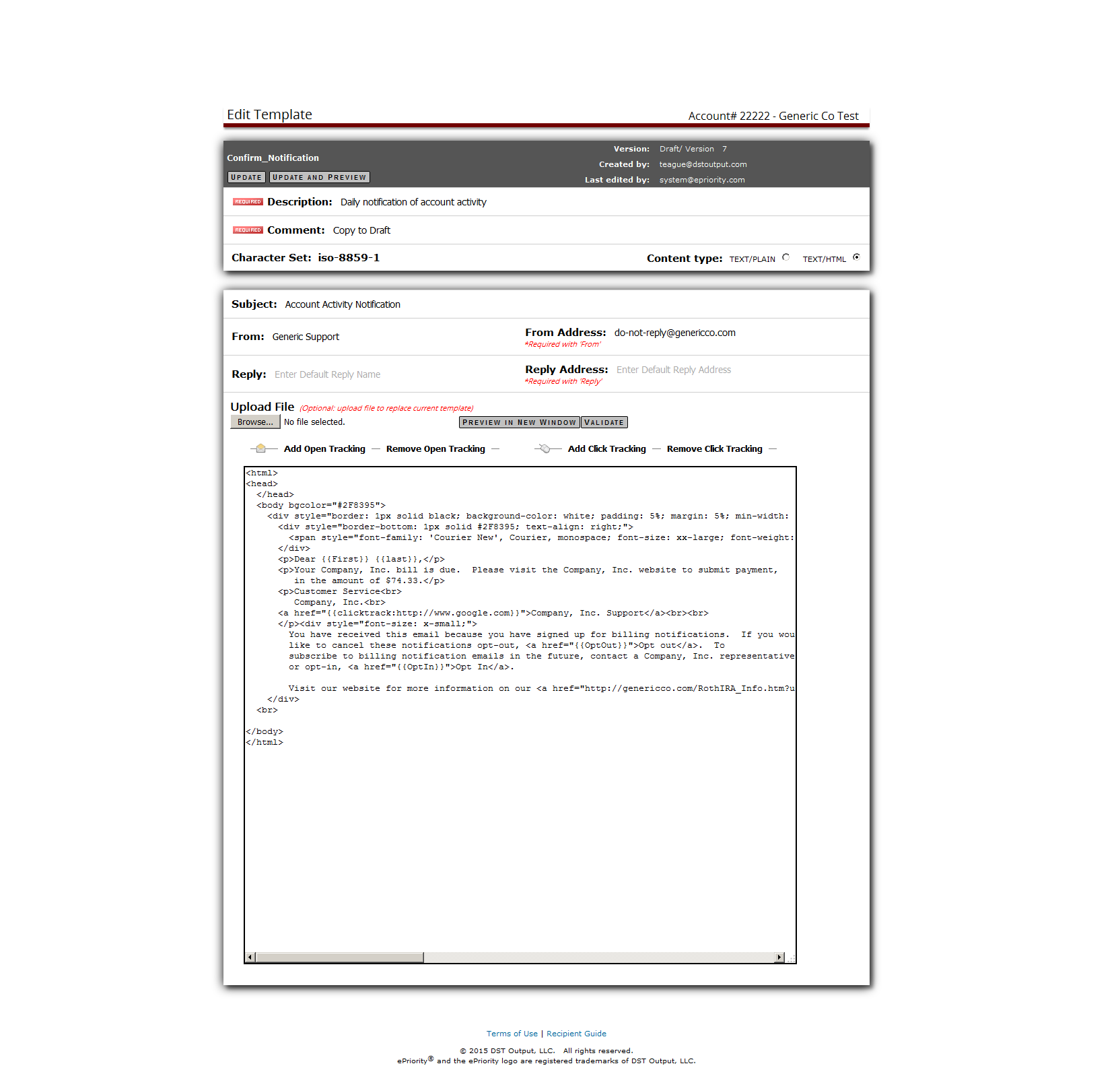
|
Create, upload, or copy existing templates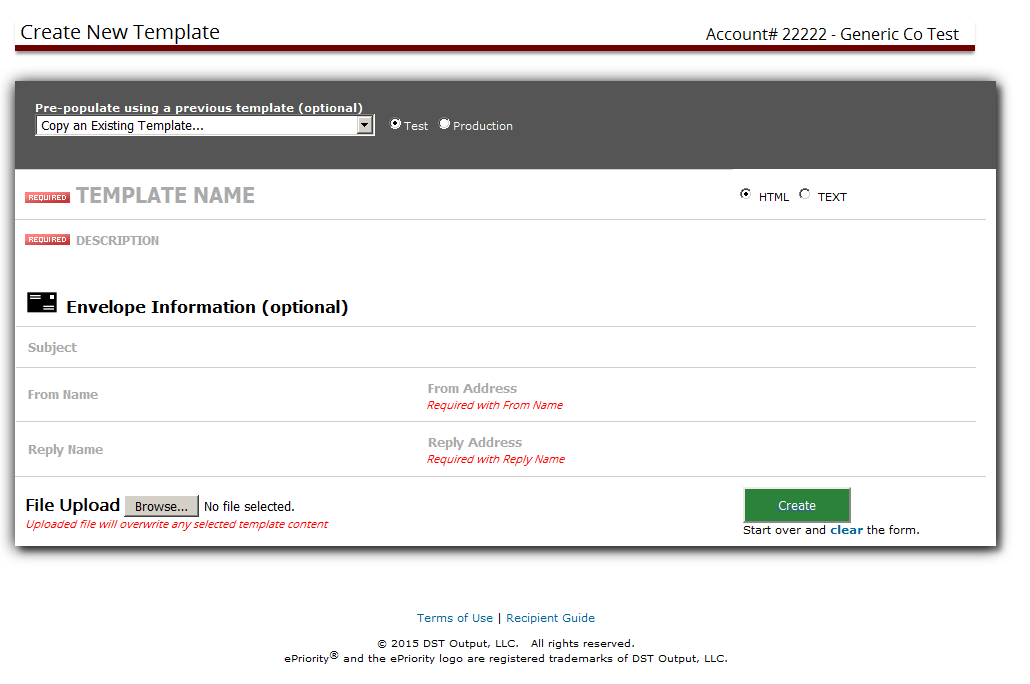
|
Template Service
Client applications can implement template actions through an HTTPS query. The authDate and authHash parameters are required for authentication of all Web API requests. See authentication instructions.
The following information is required for all requests:| Parameter Name | Description |
| authDate | current date for each request |
| authHash | Hexidecimal SHA256 string |
| action | create,view,preview,update,release,delete |
| name | Exact name of template |
Action specific parameters include:
| Action | Parameter Name | Description | |
| create | |||
| desc* | Informative descriptor for template | ||
| type* | text/plain or text/html | ||
| user* | Username of creator | ||
| contents | text/plain or text/html content of template; serves as body of the email message. | ||
| view | |||
| version* | Version number for specified template | ||
| preview | |||
| version* | Version number for specified template | ||
|
update At least one parameter is required. |
|||
| version | Version number for specified template. If version number is draft, draft is updated. If version number is specified and no draft exists, a draft is created with the specified version. | ||
| desc | Informative descriptor for template | ||
| type | text/plain or text/html | ||
| contents | text/plain or text/html content of template; serves as body of the email message. | ||
| user* | Username of creator | ||
| release | |||
| user* | Username of releasor | ||
| delete | |||
| user* | Username of deletor | ||
The format of a template request is: https://www.epriority.com/TemplateService?
authDate=2000-01-01:00-00-00&authHash=a19671a63d786d1314b28f2a58e3c4ee&
action=create&name=UPDATE_NOTIFICATION&desc=Notify+customer+of+account+update&
type=text/plain&user=bdavis
Line breaks and spaces would not be present in an actual query.
Note that the Content-type returned to your application will be text/xml except for a preview request, which will be text/plain or text/html based on the content type of the template requested.