| Open Tracking |
 |
An Open Tracking image is similar to a return receipt, but is attached to individual documents within a package. The tracker notifies ePrirority not just the first time that that particular document is viewed, but every time. Opens are logged as 6505 events in the TRAC logs. Open Tracking will only work in HTML documents.
There are 2 variations of the Open Tracking feature tag:
{{opentrack:URL}}{{opentrack}}
In the first variation an image URL is defined. This is normally a logo or some other branding image.
Only 1 instance of the OpenTracking tag is required for the HTML document.
Image URLs must begin with a protocol specification followed by two slashes.
(Examples: "http://www.epriority.com/images/ep_logo.gif",
"https://www.epriority.com/images/eplogo_large.gif").
They should not end with a slash ("/").
To have Open Tracking (variation 2) automatically added to ePriority Templates without manually editing, select 'Add Open Tracking' in the Tracking section of the Edit Template page.
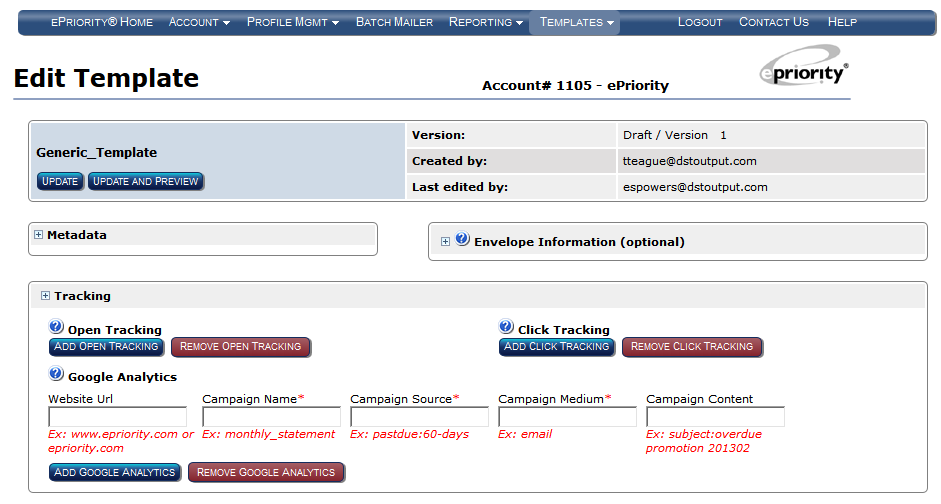
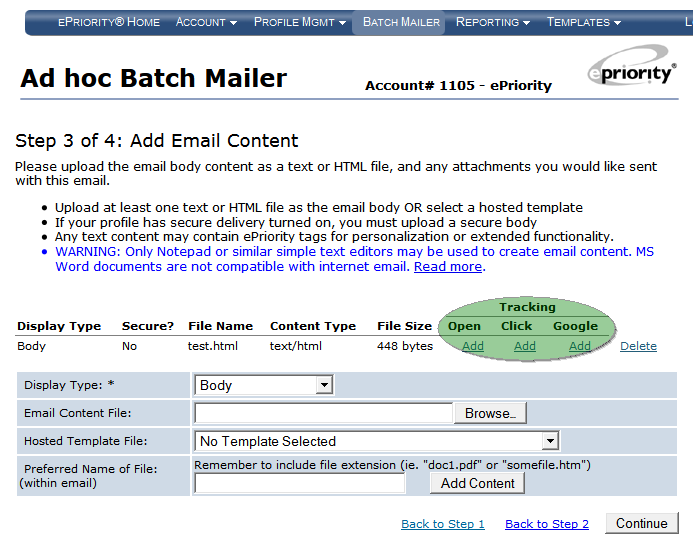
Open Tracking may also be added to uploaded content when using the Batch Mailer.
Note that you must use a Profile with Pending Mode enabled to use this feature.
See the
ePriority Service Overview
for a complete description of this feature.